THE LIBRARY

THE LIBRARY

🧩 TEMPLATES

🧩 TEMPLATES

Automatic Copyright Year Footer

Automatic Copyright Year Footer

Automatic Copyright Year Footer
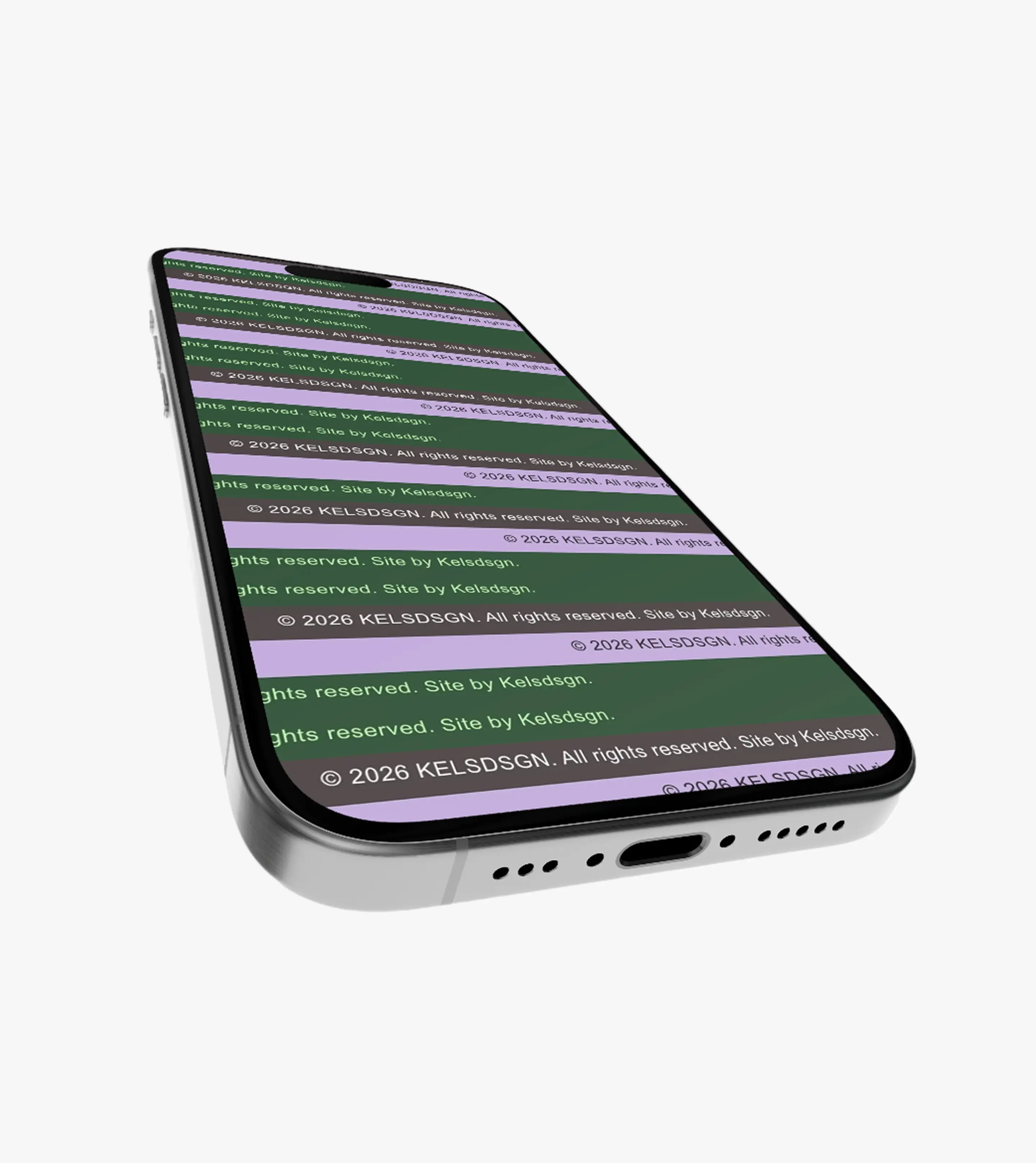
A tiny footer that keeps itself up to date.

Details:

Details:

A self-contained copyright footer embed with an automatically updating year, responsive type, custom font support, adjustable colors, alignment, spacing, and link styling. Paste the three labeled blocks into your site, change the marked settings, and you're done — no frameworks, dependencies, or ongoing maintenance.

$9.99

WHAT'S INSIDE

A customizable copyright footer with an auto-updating year.

(01)

Style Block

Customize the font, size, colors, alignment, spacing, and responsive behavior.

(01)

Style Block

Customize the font, size, colors, alignment, spacing, and responsive behavior.

(02)

Footer Markup

Add your brand name, copyright text, and designer or developer credit.

(02)

Footer Markup

Add your brand name, copyright text, and designer or developer credit.

(03)

Auto-Year Script

Automatically keeps the copyright year up to date.

(03)

Auto-Year Script

Automatically keeps the copyright year up to date.

(04)

Setup Guide

Simple instructions for placing and customizing each code block.

(04)

Setup Guide

Simple instructions for placing and customizing each code block.

CUSTOM STUFF

CUSTOM STUFF

CUSTOM STUFF

Got a project in mind? Let's talk about it.

Got a project in mind? Let's talk about it.

You: “Okay, but what if I need something that isn't in the library?”

Me : “Then let's make something that is.”

Don’t worry, I’ll reply here personally. Usually within a day — just check back anytime.

HOW TO USE IT

Add a polished copyright line without rebuilding your footer.

Add a polished copyright line without rebuilding your footer.

[01]

Customize

Customize

👀

Change the marked settings to match your site and make the footer feel like part of your existing design. Adjust the font family, fluid font size, weight, line height, letter spacing, text and link colors, alignment, and padding. You can keep the default setup or fine-tune each detail to suit your typography and layout. Custom font support is also included if you want to use a font that isn't already loaded on your site.

Change the marked settings to match your site and make the footer feel like part of your existing design. Adjust the font family, fluid font size, weight, line height, letter spacing, text and link colors, alignment, and padding. You can keep the default setup or fine-tune each detail to suit your typography and layout. Custom font support is also included if you want to use a font that isn't already loaded on your site.

Change the marked settings to match your site and make the footer feel like part of your existing design. Adjust the font family, fluid font size, weight, line height, letter spacing, text and link colors, alignment, and padding. You can keep the default setup or fine-tune each detail to suit your typography and layout. Custom font support is also included if you want to use a font that isn't already loaded on your site.

[02]

Copy & Paste

Copy & Paste

💫

Once you've customized the settings, copy the three provided blocks into your existing website. Each block is clearly labeled with where it belongs, so you can add the footer without rebuilding your site's existing structure. Replace the example brand name, copyright details, credit text, and website link with your own before publishing.

Once you've customized the settings, copy the three provided blocks into your existing website. Each block is clearly labeled with where it belongs, so you can add the footer without rebuilding your site's existing structure. Replace the example brand name, copyright details, credit text, and website link with your own before publishing.

Once you've customized the settings, copy the three provided blocks into your existing website. Each block is clearly labeled with where it belongs, so you can add the footer without rebuilding your site's existing structure. Replace the example brand name, copyright details, credit text, and website link with your own before publishing.

[03]

Set It & Forget It

Set It & Forget It

🫧

Once everything is in place, you're done. The footer automatically displays the current year using the visitor's device clock, so it stays up to date as the years change. No plugins, external services, or yearly edits are needed — your copyright line keeps itself current in the background.

Once everything is in place, you're done. The footer automatically displays the current year using the visitor's device clock, so it stays up to date as the years change. No plugins, external services, or yearly edits are needed — your copyright line keeps itself current in the background.

Once everything is in place, you're done. The footer automatically displays the current year using the visitor's device clock, so it stays up to date as the years change. No plugins, external services, or yearly edits are needed — your copyright line keeps itself current in the background.

Frequently Ask Question.

Probably what's sitting in
your head right now👀

Probably what's
sitting in 'your head'
right now👀

You: “Okay, but what if I have more questions?”

You: “Okay, but what if I have more questions?”

You: “Okay, but what if I have more questions?”

[01]

WHAT DO I GET WHEN I BUY SOMETHING?

[03]

Can I use these for my own projects?

[05]

Can I share or resell the files?

[02]

How do I get my files?

[04]

Can I use them for commercial work?

[06]

What if I have a problem with my order?